Teleprompter app for iPhone and iPad
Tuzu puts your script on top of the front camera and scrolls it while you record, so you can read every line and still look straight into the lens. Write the script yourself or let the built-in AI draft it.

What the app does
A focused recording tool, not a video editor. Everything is built around one job: getting a clean take on your phone.
Script over the camera
The text sits on the live selfie view near the top of the screen, right below the lens, while the video records.
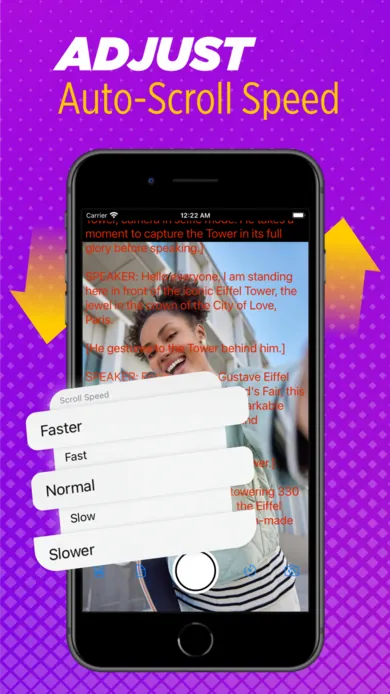
Five scroll speeds
Slower, Slow, Normal, Fast and Faster. Pick the one that matches how you talk.
Text size and color
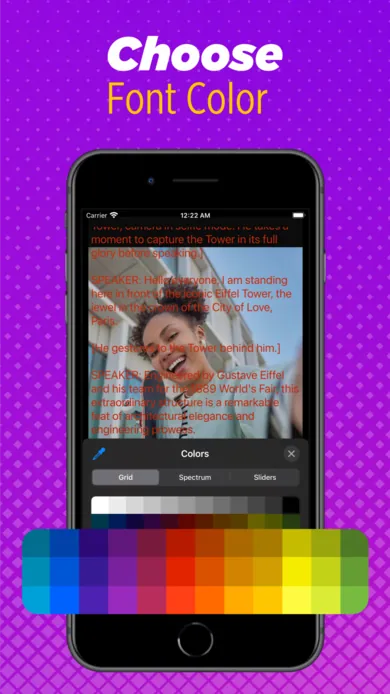
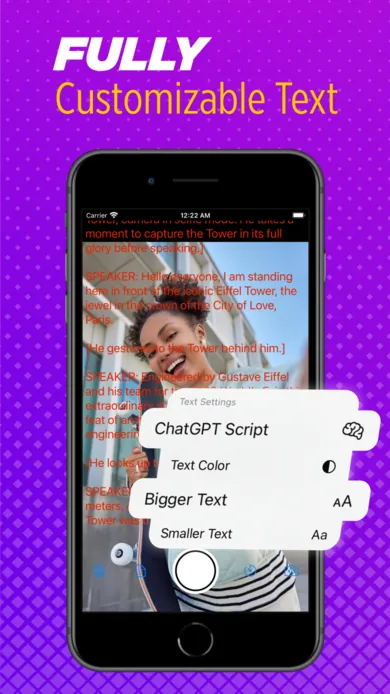
Make the text bigger or smaller and pick any color, so it stays readable against bright or busy backgrounds.
AI script writing
Describe the video you want to make and the ChatGPT-based assistant drafts a script you can edit before recording.
Speech recognition
The app can listen as you speak and show the last words it heard, a quick check that you're on track.
Save and share
Recordings are saved to your device and can go straight to the apps you post with.
Record your first video in four steps
Add a script
Type, paste, or ask the AI chat for a draft. Keep sentences short; you'll be saying them out loud.
Set it up for the room
Choose a scroll speed, then adjust text size and color so you can read it at arm's length.
Hold the phone at eye level
Prop it on a stand or stack of books. Looking down at a phone is the most common reason videos feel awkward.
Record and read
Tap record. Read the lines nearest the top of the screen, which are closest to the lens.
Free vs Pro
Tuzu is free to download and you can record videos of up to one minute without paying. Longer recordings need Teleprompter Pro, an optional in-app subscription with weekly and annual plans. Prices vary by country and are shown in the App Store before you confirm; you can cancel any time in your Apple ID subscription settings.
Need longer takes without a subscription? The online teleprompter is free with no time limit. It works in Safari on iPhone and iPad as well as on any computer, and can record with your camera.
Requirements
- iPhone or iPad with iOS / iPadOS 15.4 or later
- App language: English (scripts can be in any language your device displays)
- Camera and microphone permission for recording
Who it's for
Creators filming talking-head clips for YouTube, Shorts, Reels or TikTok, who want to stop cutting between lines. Small businesses and coaches recording product explainers, testimonials or course lessons on a phone. Job seekers and students preparing video applications and presentations. Anyone sending a video message that needs to be right the first time.
If you record on a laptop or desktop, or you're building a glass teleprompter rig, the browser version is the better fit: it adds mirror mode and works with any webcam.
Frequently asked questions
Is the Tuzu teleprompter app free?
Yes, it's free to download, and you can record videos up to one minute long without paying. Recording longer videos requires the optional Teleprompter Pro subscription, sold through the App Store.
Does Tuzu work on iPad?
Yes. Tuzu runs on iPad as well as iPhone, on iPadOS 15.4 or later. The larger screen makes the text easier to read from further away.
Can the app write my script for me?
Yes. The app includes an AI chat (based on ChatGPT). Describe the video, such as its topic, length and tone, and it drafts a script you can edit. Always check AI-written facts before you publish.
Does the app have mirror mode for teleprompter glass?
Mirror mode isn't part of the app's listed features. For beam-splitter glass, use the free mirror teleprompter in a browser on your tablet or phone.
Is the app available for Android?
Not at the moment. On Android, use the online teleprompter in Chrome. It records with your camera too.
Where do my videos go?
Recordings are saved on your device. From there you can share them to other apps or edit them in the editor you already use.
Try Tuzu on your iPhone
Free to download. Record your first one-minute video with your script scrolling over the camera.
